Anime Music Video Generator
Anime music video generator creates beat-synced AMV scenes from your soundtrack. Direct anime characters, art styles, and cinematic scenes with in-browser AI storyboard preview.
AI generation relies on statistical video synthesis models. Exact character facial symmetry and multi-shot continuous identity may vary between scenes.
How Does the Anime Music Video Generator Align Visuals with Music?
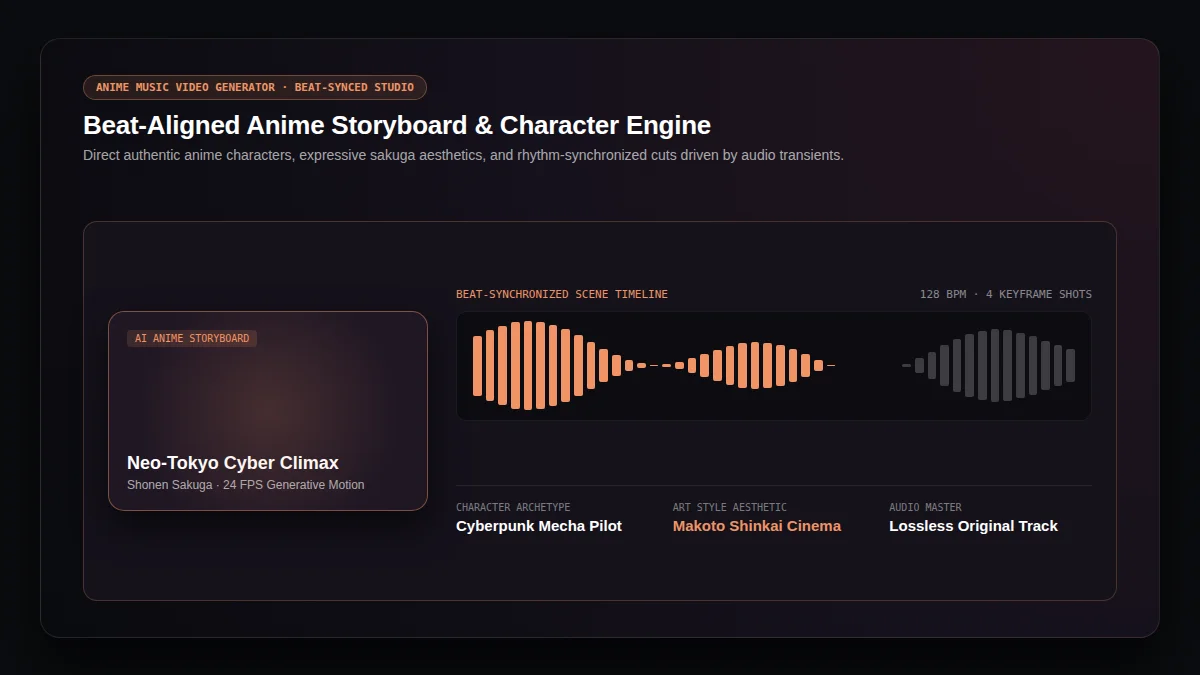
The anime music video generator transforms your audio soundtrack into cinematic anime sequences. Traditional anime AMV editing requires hours of tedious timeline keyframing and manual video clipping. Our anime music video generator analyzes acoustic transients, downbeats, and chorus energy peaks in your song, automatically synchronizing animated anime shot cuts with musical climaxes.
Acoustic Beat Alignment
The anime music video generator detects drum kicks, bass drops, and rhythm BPM tempo to cut anime action scenes precisely on musical beats.
Consistent Anime Character Archetypes
Guide anime characters with expressive traits, recognizable anime hairstyles, and color themes across diverse anime video shot angles.
Lossless Audio Soundtracks
Every anime music video preserves full-length original audio masters without dynamic range compression or lossy transcode degradation.
What Video Dimensions Does the Anime Music Video Generator Support?
Distribute your anime creations seamlessly across YouTube, TikTok, and Instagram. The anime music video generator crafts tailored social compositions with protected safe margins.
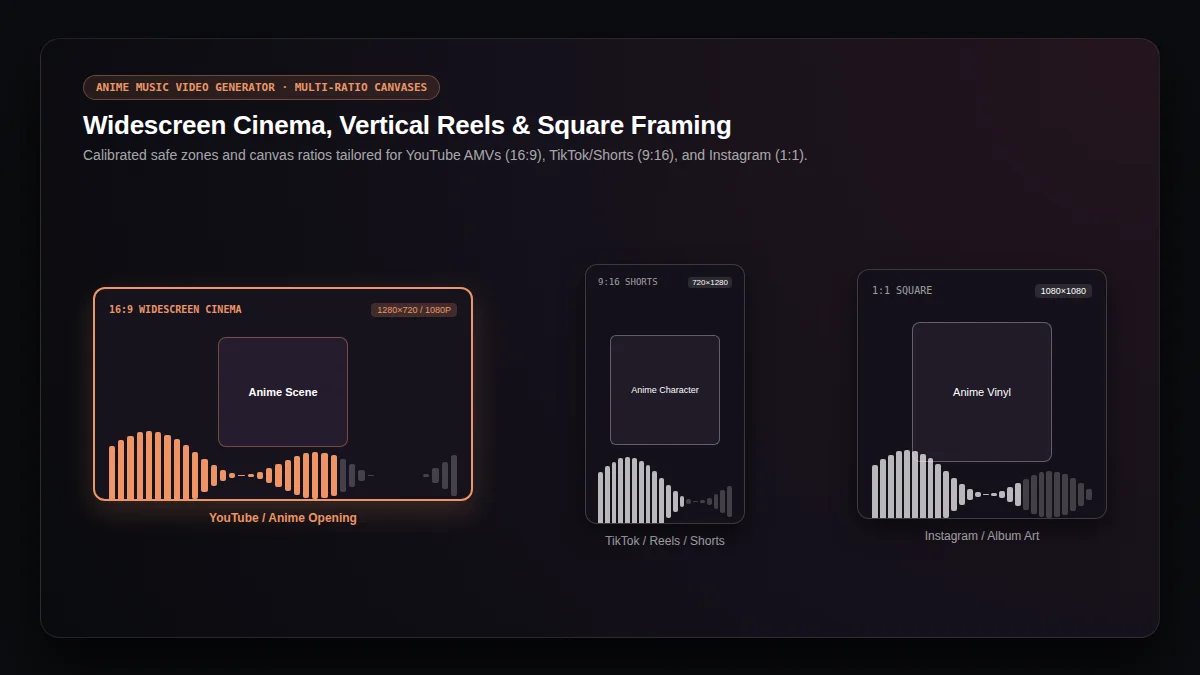
Widescreen 16:9 Anime Cinema
16:91280 × 720 and 1920 × 1080 horizontal canvas ideal for YouTube AMVs, desktop monitors, and cinematic anime television openings.
Vertical 9:16 AMV Shorts
9:16720 × 1280 vertical video framed for TikTok, Instagram Reels, and YouTube Shorts, keeping anime characters free from platform UI overlays.
Square 1:1 Anime Vinyl Canvas
1:11080 × 1080 balanced square ratio crafted for Instagram feed carousels, Bandcamp releases, and anime album artwork showcases.
How Do You Create an Anime Music Video in 3 Steps?
Produce broadcast-quality anime music videos in minutes with our guided anime music video generator workflow.
Choose Soundtrack & Audio Clip
Upload your audio file (MP3, WAV, FLAC) or pick an AI-generated song from your library. Isolate a 15-second hook, 30-second chorus, or full track.
Direct Anime Characters & Aesthetics
Select anime characters, visual styles, and environments from our anime studio deck, or enter custom anime prompts in the storyboard textarea.
Preview & Render Anime MV
Render a fast 5-second video preview to inspect motion and pacing, then generate the full high-resolution anime music video ready for download.
Why Does the Anime Video Engine Excel at Japanese Animation?
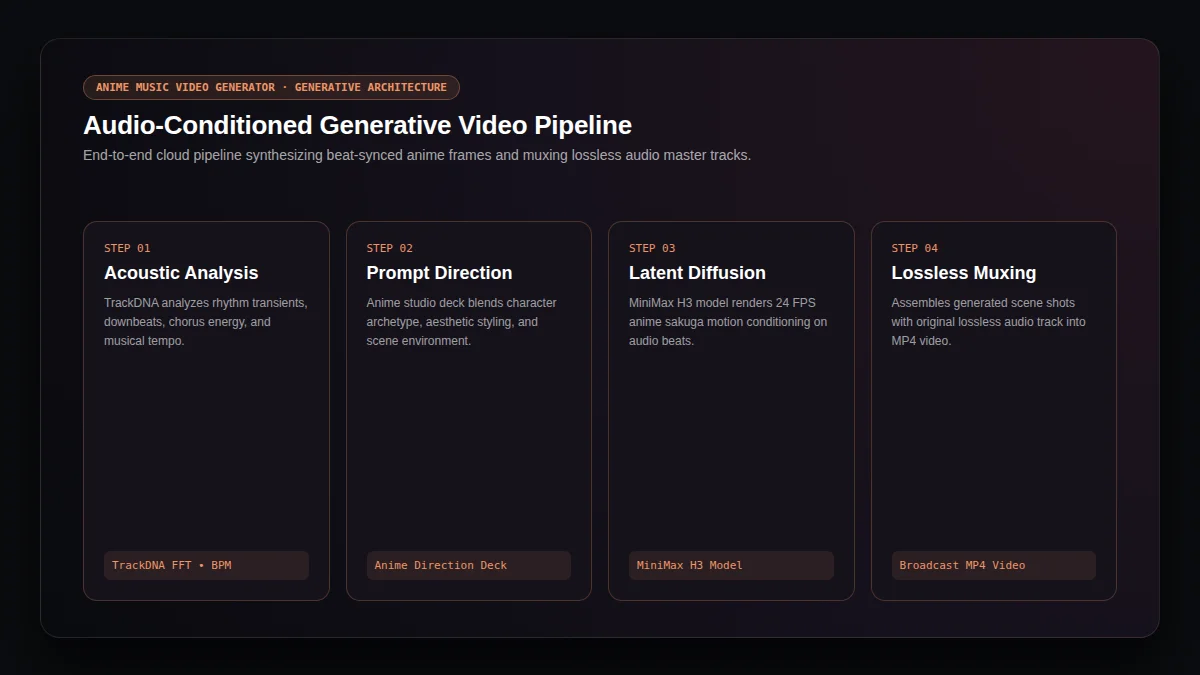
The anime music video generator leverages generative diffusion models fine-tuned on cinematic Japanese animation aesthetics. From Makoto Shinkai pastel cloudscapes to high-octane shonen action sakuga lines, the model renders believable anime motion physics without uncanny synthetic artifacts.
"Generative diffusion models bridge acoustic rhythm features with temporal latent space, enabling expressive anime camera choreographies that match musical intensity."
Authentic Anime Sakuga Physics
Dynamic cel-shaded motion vectors, atmospheric anime particles, and camera parallax tailored for anime aesthetic purists.
Cloud Render Pipeline
High-throughput GPU inference delivers 24 FPS anime video generation without placing rendering stress on local devices.
Frequently Asked Questions About the Anime Music Video Generator
Everything you need to know about generating anime music videos, character consistency, and credit billing.
How does the anime music video generator sync video scenes with audio?▼
The anime music video generator analyzes the uploaded audio track for acoustic transients, rhythm BPM, and energy transitions. Scene cuts, camera zooms, and visual action climax points align automatically with drum beats and vocal choruses.
Can I use my own songs with the anime music video generator?▼
Yes. You can upload any standard audio file (MP3, WAV, FLAC, M4A) or select tracks created with our AI music generator. The original audio master becomes the soundtrack of your final anime music video.
Does the anime music video generator guarantee character consistency across all scenes?▼
While the anime music video generator maintains overall character design, hair color, and clothing palette across shots, generative AI synthesis may introduce subtle variations in facial geometry between camera angles.
Can I preview my anime music video before committing full credits?▼
Yes. You can generate a 5-second video preview for a fraction of the cost to evaluate character look and camera motion before rendering the complete anime music video.
Which video aspect ratios are available for anime music videos?▼
The anime music video generator supports 16:9 widescreen for YouTube and desktop players, 9:16 vertical for TikTok and Instagram Reels, and 1:1 square for feed posts and album previews.
Do I need to install software to run the anime music video generator?▼
No software installation is required. The anime music video generator operates entirely in your web browser, handling prompt direction, live previews, and cloud rendering in a unified creative workspace.