Album Cover Visualizer
Album Cover Visualizer
Album cover visualizer pairs full songs with uncropped album artwork and dynamic sound waveforms. Export square, landscape, or portrait videos in your browser with zero watermark.
Your complete cover stays visible. The waveform moves with the music below it. Choose both files to begin.
Export processes frames locally and can continue in the background, though it may slow down. A browser freeze pauses the task; it resumes from the same point if its resources remain available. Keep this page open. MP4 or WebM depends on your browser.
How Does the Album Cover Visualizer Keep Artwork Intact?
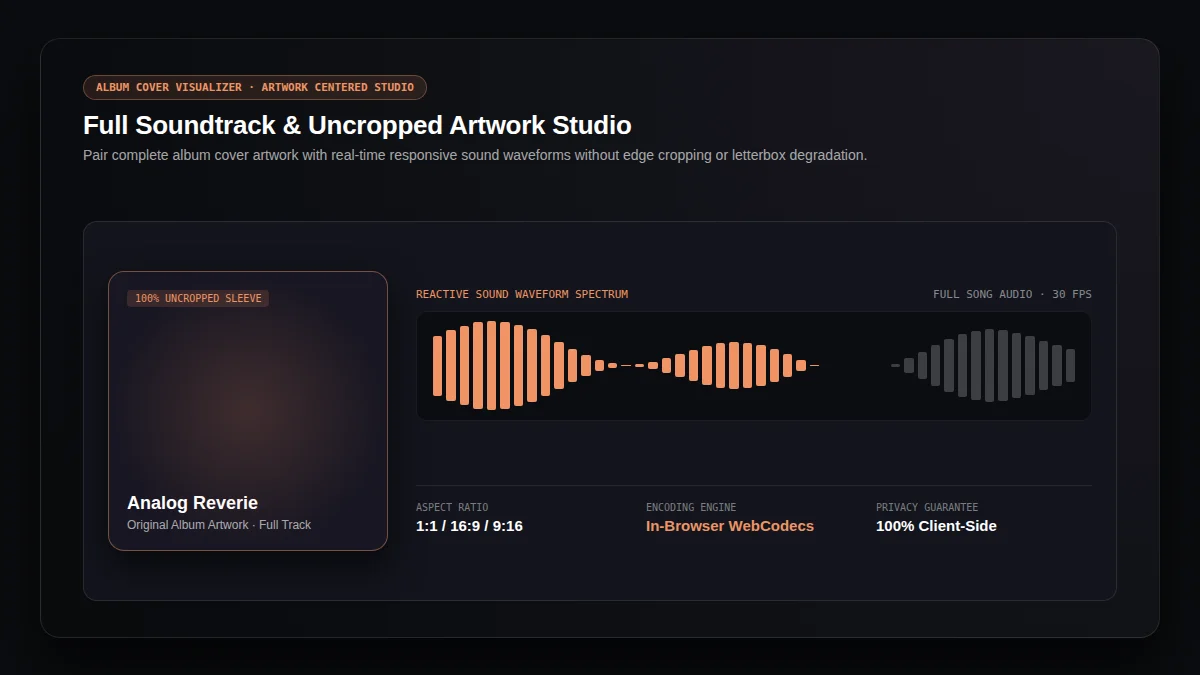
Every album release relies on iconic album cover art to communicate mood before playback begins. Traditional video converters often crop or distort album artwork into arbitrary widescreen bars. Our album cover visualizer preserves full album cover proportions inside a centered presentation canvas, rendering reactive sound wave spectrum below without obscuring album artwork details.
Album artwork maintains original aspect ratio inside album canvas with zero cropping, keeping borders, track typography, and visual artwork intact.
Album tracks export from start to finish without duration limits, preserving full musical arrangement, stereo fidelity, and dynamic range.
Album sound waves dance dynamically to bass, mids, and treble frequencies via Web Audio API analysis, enhancing visual engagement.
What Social Aspect Ratios Does the Album Cover Visualizer Support?
Distribute album music across digital platforms effortlessly. The album cover visualizer adapts album canvas dimensions while maintaining original album cover proportions, surrounding album art with cohesive background tones.
Square (1:1) Vinyl Album Sleeve
1080 × 1080 resolution honors classic vinyl album packaging, ideal for Instagram feed posts, Bandcamp previews, and album release announcements.
Landscape (16:9) Desktop Showcase
1280 × 720 widescreen canvas centers album cover art with elegant side margins, perfect for YouTube channels, Vimeo, and monitor playback.
Portrait (9:16) Mobile Story & Reel
720 × 1280 vertical video positions album artwork within social safe zones, avoiding interface overlays on TikTok, YouTube Shorts, and Instagram Reels.
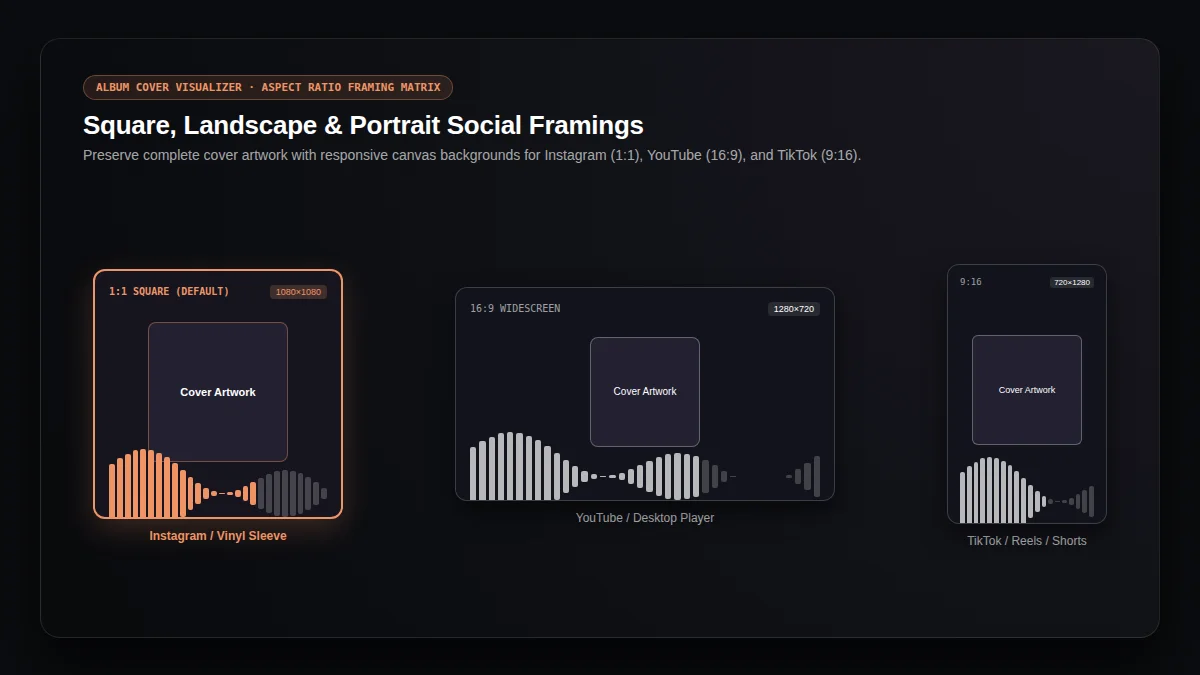
Fig 2: Social media aspect ratios and safe margin alignment
How Do You Export an Album Video in 3 Easy Steps?
Transform audio recordings into album visualizer videos in seconds using our browser-based album cover visualizer workflow.
Select Album Audio & Artwork
Drop your audio track (MP3, WAV, FLAC, M4A) and high-resolution album cover artwork (JPEG, PNG, WebP) directly into album workspace.
Configure Album Canvas & Waveform
Pick your target aspect ratio (1:1, 16:9, or 9:16), adjust album background color, and choose reactive waveform line styling.
Preview & Download Album Video
Inspect real-time album playback, then click export to generate a watermark-free MP4 or WebM album video ready for distribution.
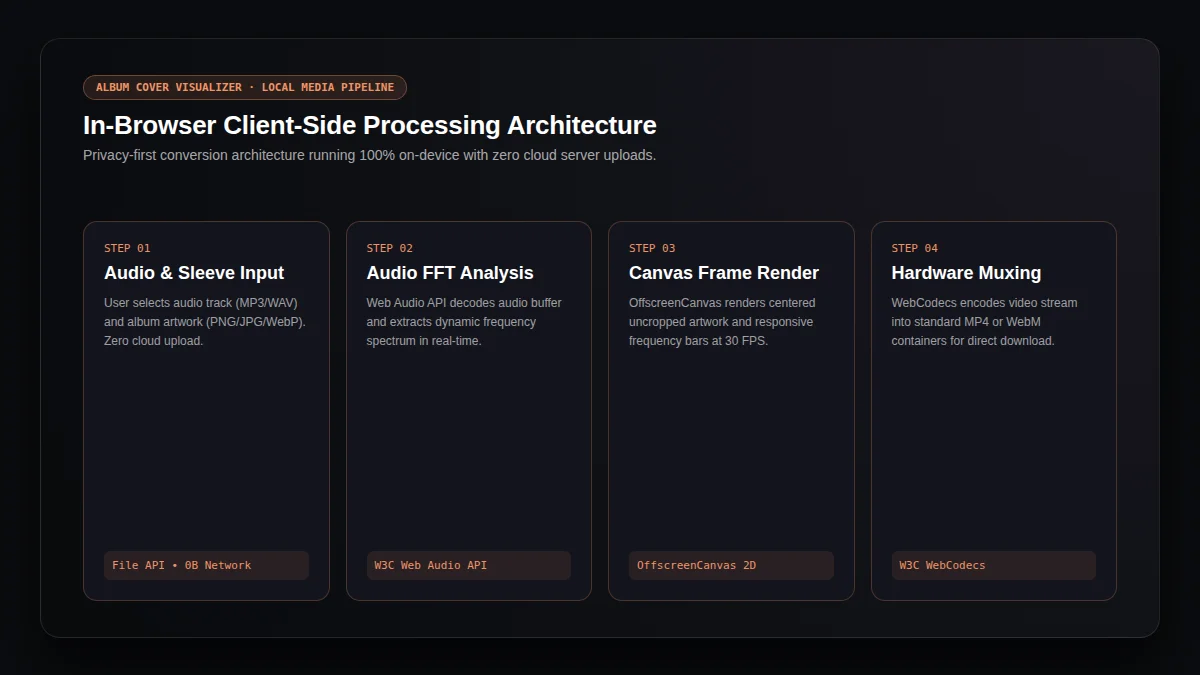
Fig 3: Client-side media processing pipeline built on W3C standards
Why Does the In-Browser Album Engine Protect Creator Privacy?
Unlike cloud rendering platforms that require uploading confidential masters to external servers, our album cover visualizer executes entirely within your browser runtime using WebCodecs and Web Audio API technologies.
"WebCodecs provides low-level access to media processing capabilities, enabling efficient in-browser encoding without remote cloud processing or audio stream exposure."
100% Client-Side Privacy
Your album music stems and private album artwork stay strictly on your device. Zero bytes upload to cloud servers.
Hardware Accelerated Video Encoding
Local GPU acceleration renders 30 FPS album video frames smoothly without server queues, subscription fees, or daily export caps.
Frequently Asked Questions About the Album Cover Visualizer
Everything you need to know about creating album videos with uncropped artwork and reactive waveforms.
Is the album cover visualizer completely free to use?+
Yes. The album cover visualizer is 100% free with unlimited exports. We require no user accounts, no credits, and never add watermarks to your album videos.
Will the album cover visualizer crop or stretch my album artwork?+
No. The album cover visualizer scales album artwork proportionally inside the canvas, preserving original image borders with clean background margins.
Can I export full-length songs with the album cover visualizer?+
Yes. The album cover visualizer processes entire tracks from beginning to end, preserving full musical duration and audio clarity.
Which video formats does the album cover visualizer produce?+
The album cover visualizer outputs standard MP4 (H.264/AAC) whenever supported by your browser, falling back seamlessly to WebM video.
Can I keep working while the album cover visualizer exports?+
Yes. Background Web Workers handle video frame encoding, allowing the album cover visualizer to complete tasks while you switch tabs.
Explore Related Music and Video Creative Tools
Discover comprehensive audio production and video generation tools designed for independent music creators.
Song to Video Converter
Turn song excerpts into video clips with interactive DAW waveform sliders and song credits.
Audio to Video Converter
Convert audio tracks into reactive waveform videos with multi-platform aspect ratio presets.
MP3 to MP4 Converter
Instant container muxing for MP3 audio and static artwork into 720p HD MP4 video.
Lyrics Video Maker
Synchronize millisecond-accurate lyric timestamps with dynamic typography playback.
AI Music Video Generator
Generate cinematic AI music videos from audio beats using state-of-the-art visual models.
AI Music Generator
Create original songs with full vocals, melodies, and instrumental arrangements from prompts.
AI Song Cover Generator
Transform vocal styles and genre arrangements while preserving original melody tracks.
MiniMax Music 3.0 Guide
Master prompt engineering formulas, musical tags, and audio synthesis best practices.