AUDIO TO VIDEO · LOCAL WAVEFORM STUDIO · ZERO SIGN-IN

Audio to Video: Turn Sound into Waveform Videos

Turn podcasts, voice memos, and songs into reactive waveform videos in your browser. Enjoy 100% private rendering with zero server uploads and instant export.

Free Unlimited Exports · No Watermark100% In-Browser RenderingLossless Audio Quality16:9 / 9:16 / 1:1 Social Ratios
Video settings
YOUR VIDEOON YOUR DEVICE

Press Preview to hear the audio and see its waveform. The line stays still until playback starts.

Export processes frames locally and can continue in the background, though it may slow down. A browser freeze pauses the task; it resumes from the same point if its resources remain available. Keep this page open. MP4 or WebM depends on your browser.

AIAuthored by MiniMaxMusic Team
About Us·Contact Support·Fact-Checked
LOCAL WAVEFORM STUDIO

Why Do Creators Convert Audio to Video for Social Feeds?

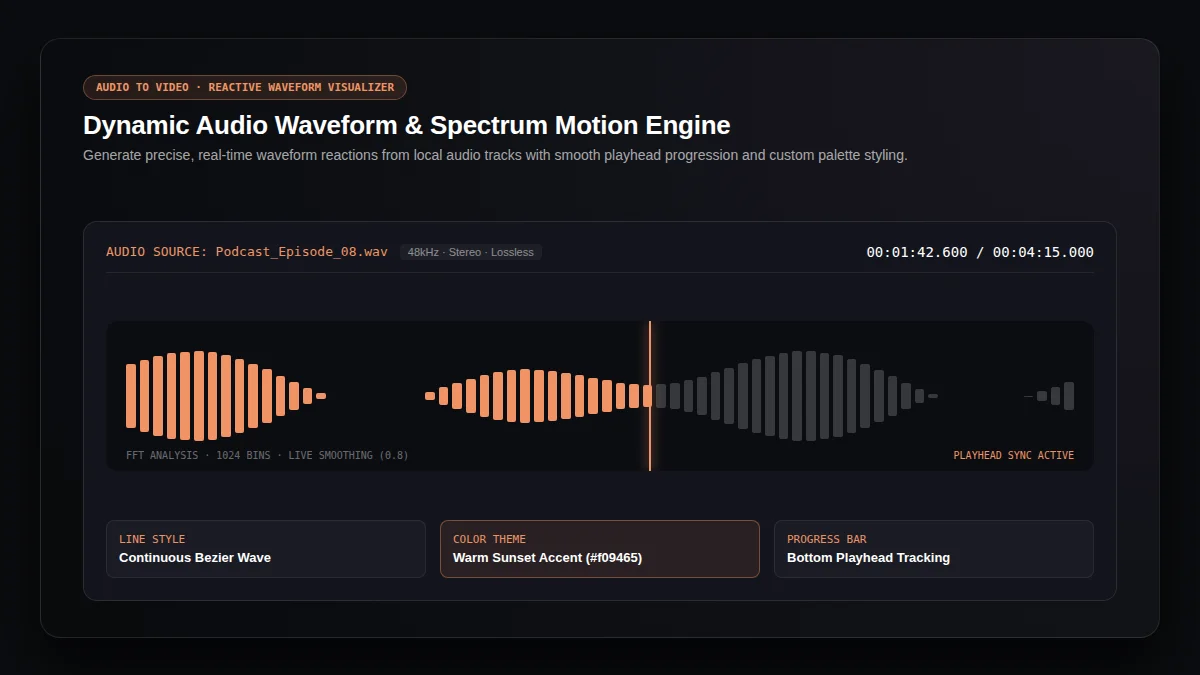
Publishing an audio track on visual networks requires video format delivery. This browser tool turns your audio to video with live waveform animation. Streamline your audio to social distribution with instant audio to canvas rendering.

Dynamic Waveform Response

Smooth Bezier curves animate with authentic audio frequencies instead of generic looping motion. Every audio to video visual reacts live.

Responsive Canvas Dimensions

Switch between 16:9 widescreen, 9:16 vertical shorts, and 1:1 square feeds for multi-platform delivery. Adapt audio to mobile timelines seamlessly.

Private On-Device Processing

Every audio to video task encodes through local browser APIs with zero data transmission. Fast audio to device output keeps projects secure.

Studio Monitor · Real-Time Frequency Response · 1080p
Audio waveform visualizer studio displaying real-time audio frequencies and responsive playback line
SOCIAL CANVAS RATIOS

Which Aspect Ratio Should You Choose for Audio to Video?

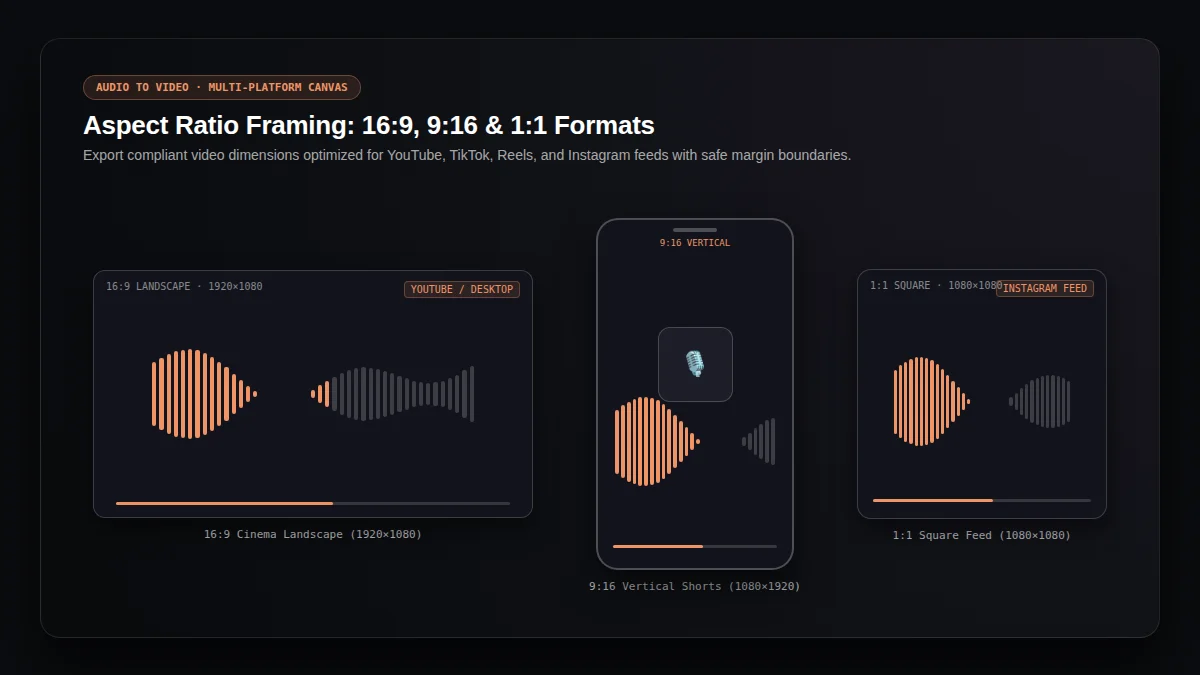
Select the ideal canvas dimension for your audio to video project. Every layout preserves artwork margins and centers your reactive waveform.

Aspect Ratio Blueprint · 16:9 Cinema · 9:16 Shorts · 1:1 Feed
Audio to video aspect ratio framing showing 16:9 widescreen, 9:16 vertical shorts, and 1:1 square canvas safe zones
16:91920x1080 · 85% Safe Zone

16:9 Cinema Landscape

YouTube, Bilibili & Desktop Feeds

Convert long-form podcasts, musical singles, and audio interviews into widescreen 1920x1080 audio to video files. This format commands widescreen attention on desktop displays.

9:161080x1920 · Mobile Feed Safe

9:16 Vertical Story

TikTok, YouTube Shorts & Instagram Reels

Produce vertical 1080x1920 audio to video clips from memorable voice memos, podcast teasers, and vocal highlights. Optimized vertical framing captures mobile audiences.

1:11080x1080 · Square Canvas

1:1 Square Feed

Instagram Posts & Twitter Feeds

Combine balanced album artwork with dynamic audio to video motion for concise social timeline previews. Square framing balances album art and waveforms.

BROWSER WORKFLOW

How Do You Convert Audio to Video in Three Simple Steps?

Follow this straightforward audio to video workflow to preview and export videos within minutes. Our engine runs smoothly on all modern desktop browsers.

01

Select Your Audio Track and Cover Artwork

STEP 01

Load any local audio file supported by your browser, such as MP3, WAV, FLAC, or AAC. Optionally attach image artwork for your visual canvas.

Input: MP3 / WAV / FLAC · Artwork: JPG / PNG / WebP
02

Customize Visual Styling and Ratio

STEP 02

Choose 16:9, 9:16, or 1:1 format. Adjust background shades and waveform line colors, then test audio to video sync with real-time playback.

Controls: Canvas Ratio · Palette Picker · Live Preview
03

Render Video and Download

STEP 03

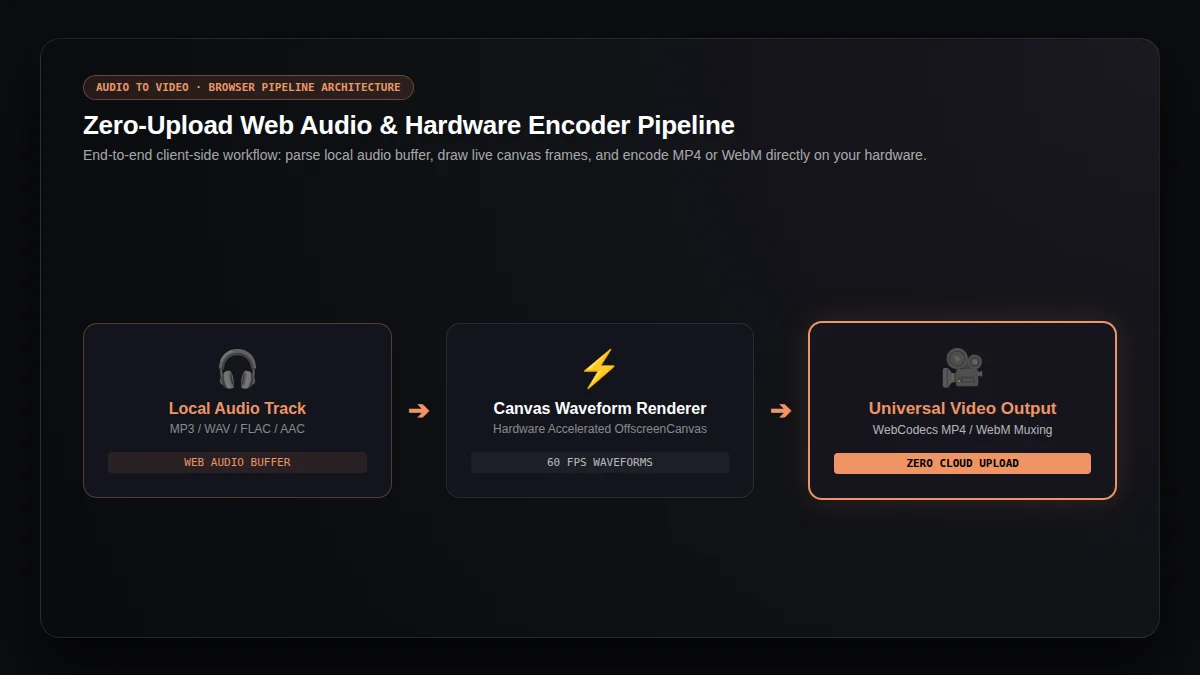
Start the local export. The browser renders video frames and muxes audio into a ready-to-share MP4 or WebM file. Download your audio to video file directly.

Output: Hardware Accelerated · MP4 / WebM · Zero Watermark
Pipeline Architecture · WebCodecs & Canvas Stream
Audio to video browser workflow diagram illustrating local audio input, canvas rendering, and video export
ARCHITECTURE COMPARISON

Why Is In-Browser Rendering Faster and Safer Than Cloud Converters?

Discover how client-side audio to video processing delivers instant results while safeguarding your audio privacy. This modern architecture eliminates server queues.

Audio File Privacy
This Audio to Video Tool
100% In-Browser Isolation
Traditional Cloud Converters
Uploaded to Remote Servers
Export Quota & Cost
This Audio to Video Tool
Unlimited Free Audio to Video
Traditional Cloud Converters
Credits or Daily Paywalls
Audio Fidelity
This Audio to Video Tool
Lossless Source Audio Preservation
Traditional Cloud Converters
Repeated Lossy Re-encoding
Render Queue Delay
This Audio to Video Tool
Zero Server Wait Time
Traditional Cloud Converters
Variable Queuing Latency
“WebCodecs provides low-level access to the browser’s built-in hardware media decoding and encoding capabilities, enabling client-side audio-to-video rendering without server-side transcoding or data exposure.”
—W3C WebCodecs Recommendation & MDN Web Docs
KNOWLEDGE BASE

Frequently Asked Questions: How Does Audio to Video Conversion Work?

Answers to common questions regarding audio to video formats, browser performance, and privacy. Everything you need for smooth video production.

Is this audio to video converter completely free?+

Yes. This audio to video tool provides unlimited exports with no signup, no credit deductions, and no added watermark. Make any video render freely.

Does my audio leave my local device?+

No. The audio to video visualizer runs strictly within your browser. Your audio track and cover art remain private on your computer throughout the entire export.

Which video format does the audio to video engine generate?+

The pipeline outputs MP4 whenever supported by your browser codec configuration, or compliant WebM for universal playback. Every audio to video output is platform ready.

Can I run an export while browsing other tabs?+

Yes. Background worker routines process audio to video frames steadily, allowing you to multitask while your export completes without interruptions.

How does audio to video differ from lyric videos or AI music videos?+

This generator visualizes real audio waves. For timed text, use our lyric video maker; for generative visuals, try our AI music video generator. Choose audio to video when waveforms fit best.